

In September 2025, about 40 people a month in the US searched for “Claude skills.” By March 2026 it was 90,500. I was one of them.
I run a link building agency. We’ve placed more than 50,000 links since 2019, and most of my week goes to audits, link plans and content briefs. So I didn’t want another list of skills copied from GitHub READMEs. I wanted to know which ones hold up on real work.
Here’s how this review is built:
- Four of these skills are part of our client work now. They built our last four client deliverables: two full SEO audits, a US brand mention and link plan, and a link building plan for a SaaS company. Last month we built 25 links for one client off the back of the seo-backlinks skill. Those four get the longest write-ups.
- The other 21, we ran on our own site, outreachempress.io, on 8 October 2026. Each one got a real task, a stopwatch and a score out of 10. I’m publishing what each one did well and where it fell short.
Then I sorted all 25 by the question every agency owner asks first: what does this cost to run?
- 20 are free. They run on Claude plus free public data like web search, PageSpeed Insights and Search Console.
- 5 need a paid tool to do their main job, like a backlink database or an image generation API.
All 25 are open source, and every link below goes to the skill’s folder on GitHub.
What a Claude skill is?
A skill is a folder with a SKILL.md file inside it, plus any reference files and scripts it needs. Claude reads the short description at the top of each one. When your request matches, it loads the full file and follows it.
You don’t paste a prompt. Ask Claude Code to “audit the sitemap on example.com” and the sitemap skill loads by itself, with its own rules.
One caveat on “free”: you need a Claude plan to run Claude Code. Free here means the skill adds no extra subscription on top.
How to install them?
The 25 skills come from three repos. Run these inside Claude Code.
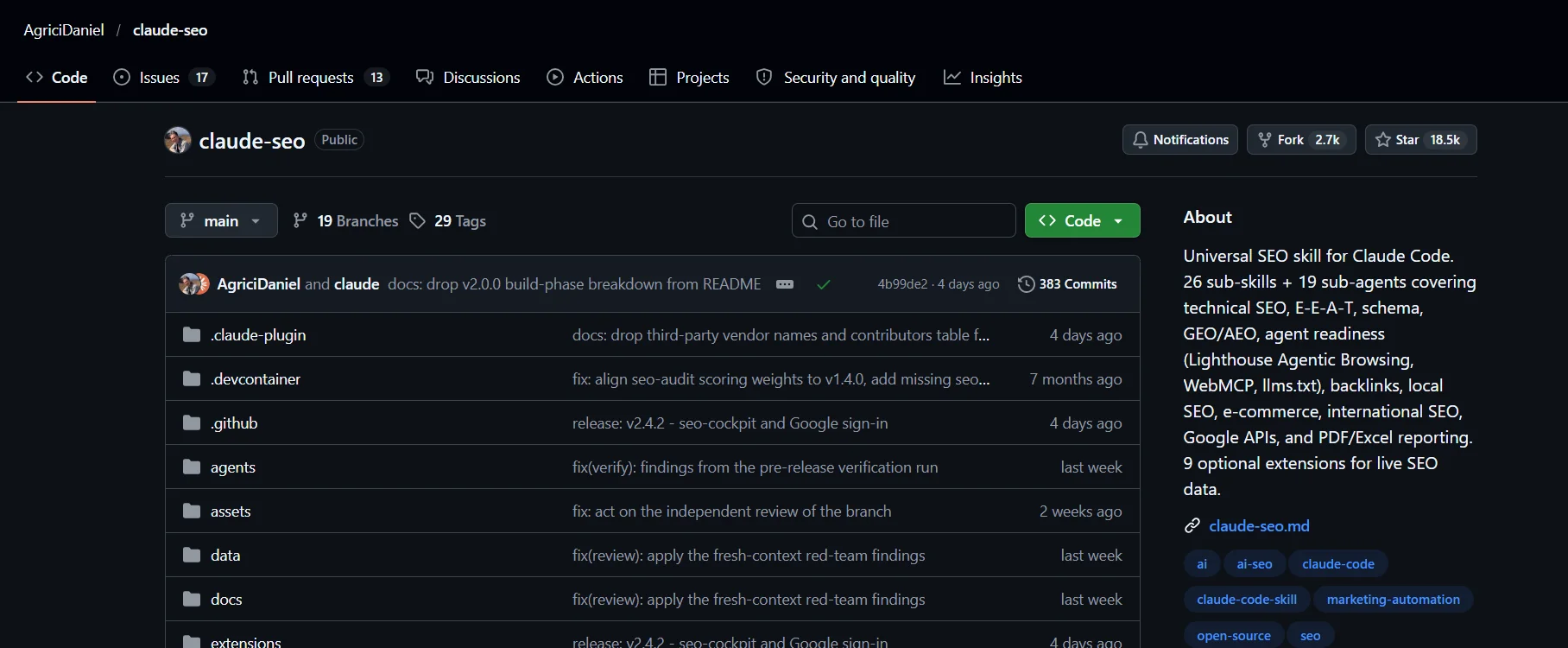
AgriciDaniel’s claude-seo (10 skills on this list, MIT license, about 18,500 GitHub stars):
/plugin marketplace add AgriciDaniel/claude-seo
/plugin install claude-seo@agricidaniel-claude-seo
Corey Haines’ marketingskills (14 skills on this list, MIT license, about 53,700 stars):
/plugin marketplace add coreyhaines31/marketingskills
/plugin install marketing-skills
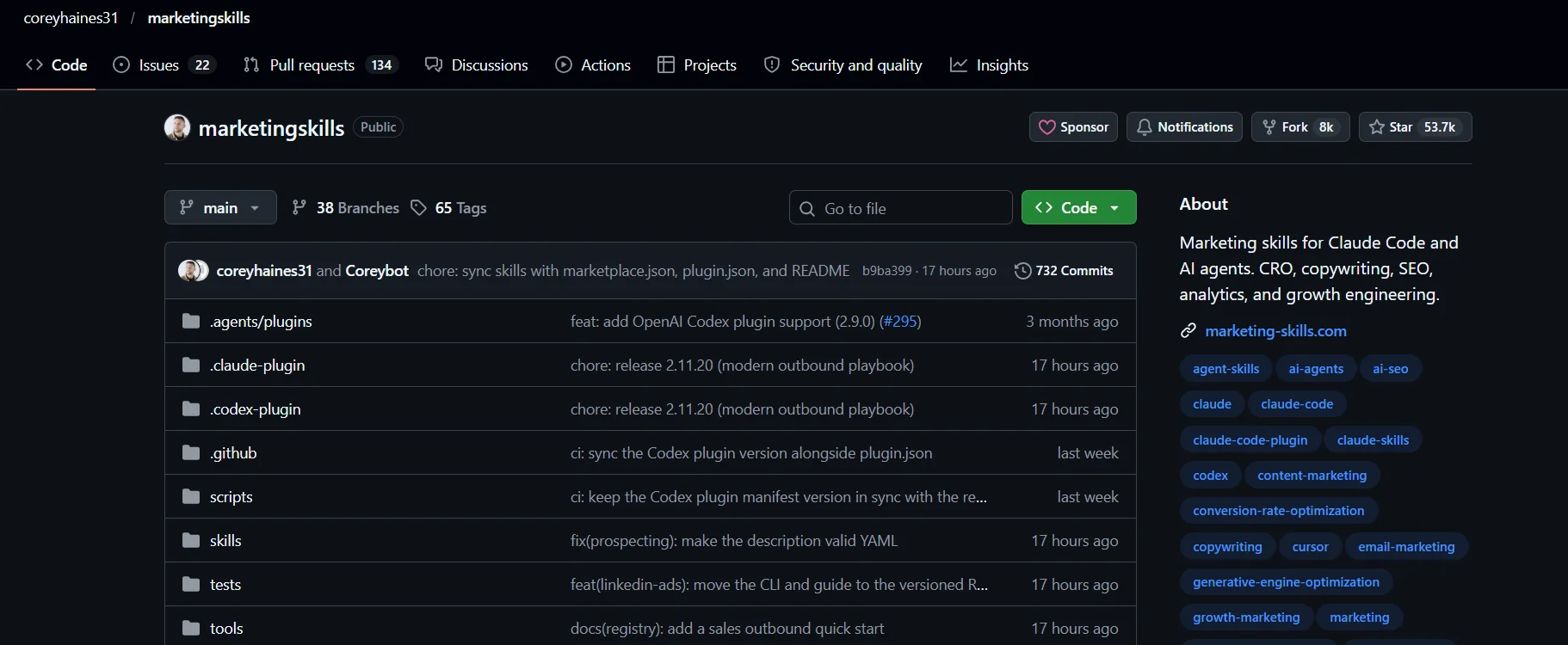
Or from your terminal: npx skills add coreyhaines31/marketingskills -a claude-code
Anthropic’s knowledge-work-plugins (1 skill, Apache 2.0):
claude plugin marketplace add anthropics/knowledge-work-plugins
claude plugin install marketing@knowledge-work-plugins
Install the full plugin, not single files. Several marketingskills skills keep their best material (the 139-idea library, the copy frameworks, the audit rubric) in reference files next to SKILL.md. Copy only the one file and you lose that.
The Scorecard
The first four are our core client skills, so I haven’t given them a test score. The other 21 were each run once on outreachempress.io, and each skill’s run time is in its heading below. Click a skill name to open it on GitHub.
| Skill | Cost | Score | Verdict |
|---|---|---|---|
| 1. seo-audit | Free | Core | Use weekly |
| 2. site-architecture | Free | Core | Use weekly |
| 3. seo-content | Free | Core | Use weekly |
| 4. seo-backlinks | Paid for full data | Core | Use weekly |
| 5. seo-content-brief | Free | 8/10 | Keep |
| 6. product-marketing | Free | 8/10 | Keep |
| 7. copywriting | Free | 8/10 | Keep |
| 8. social | Free | 8/10 | Keep |
| 9. seo-technical | Free | 7/10 | Keep |
| 10. lead-magnets | Free | 7/10 | Keep |
| 11. marketing-psychology | Free | 7/10 | Situational |
| 12. ai-seo | Free | 6/10 | Situational |
| 13. seo-sitemap | Free | 6/10 | Situational |
| 14. seo-competitor-pages | Free | 6/10 | Situational |
| 15. customer-research | Free | 6/10 | Situational |
| 16. draft-content | Free | 6/10 | Situational |
| 17. marketing-plan | Free | 6/10 | Situational |
| 18. seo-programmatic | Free | 5/10 | Situational |
| 19. marketing-ideas | Free | 5/10 | Situational |
| 20. schema | Free | 5/10 | Skip |
| 21. seo-local | Free | 3/10 for us | Skip unless local |
| 22. cold-email | Paid to send | 7/10 | Keep |
| 23. image | Paid | 6/10 | Situational |
| 24. video | Paid | 6/10 | Situational |
| 25. seo-cluster | Paid in practice | 5/10 | Situational |
The Four I use on every client
1. seo-audit (free)
This is claude-seo’s full-site audit. It crawls up to 500 pages, works out what kind of business the site is, then hands the work to specialist sub-agents for technical SEO, content, schema, sitemaps, performance, AI search readiness and more. It comes back with a health score out of 100 and a phased plan.
We’ve run it on two client sites recently, and both times it caught things a standard crawl would have missed.
On a CBD SEO agency’s site, it scored 61/100 and opened with a problem I’d never have looked for. Six calls to action on a service page linked to /contact/. That URL wasn’t the contact page at all. It was a Hostinger default placeholder returning a 200 status, so every crawler said it was fine. The real page lived at /contact-us/. The same audit found a “[Founder name]” placeholder live on a service page and eight blog posts published within eight seconds of each other.
On a cannabis packaging store it scored 51/100, using nine specialist agents. The biggest find was in the catalogue: 858 products built from 174 base items, because every colour and cap variant was its own indexable page. That’s roughly 330 near-duplicate pages, almost all with identical prices.
What I trust most about it is that it says what it couldn’t check. The packaging audit has a “data gaps” section. DataForSEO returned an HTTP 402 on every call because the account was out of credits, so the skill used Ahrefs and Search Console instead and said so. Findings from sampled crawls are marked “agent-reported” and kept apart from figures it verified. A client can see exactly how sure we are of each line.
Try it: /seo audit https://yoursite.com
What it needs: nothing paid to run. Search Console access makes it much better, and a free PageSpeed Insights API key gets you Core Web Vitals data. Without that key it estimates them, and the report says so.
2. site-architecture (free)
This plans page hierarchy, navigation, URL patterns and internal linking, and draws the result as a tree you can paste into a doc.
In link building, architecture decides where links do any good. The packaging store is a good example. Its audit found three collections holding the same 54 products, 16 empty collections live in the sitemap, and mylar bags spread across five or more collections. Building links to any of those pages would have been money spent on a page about to be merged or redirected.
So the plan we sent had a rule at the top: consolidate before linking. We used site-architecture to decide which hub survives and how the old URLs redirect into it. It also mapped which pages should pass authority to which. Only then did we pick link targets.
Try it: “Plan the site architecture for a 40-page B2B SaaS site with 3 product lines. Include URL patterns and internal links.”
Already have a site full of pages Google won’t index? I use one Claude prompt to build an internal linking plan that gets them indexed.
3. seo-content (free)
This reviews a page the way a strict editor would. It scores E-E-A-T signals and readability, flags thin pages, checks whether the page is likely to get cited in AI answers, and strips AI-sounding phrases and invisible Unicode characters from drafts.
On the packaging store, the content score came back at 44, with E-E-A-T at 34. Some of the findings carry legal risk on top of the SEO cost:
- A compliance post named ASTM D3475-20 as the child-resistance test. That standard classifies package types. The actual test protocol is 16 CFR 1700.20.
- The same six “Verified Buyer” quotes appeared on every product page, two of them word for word under different names.
- Of 371 templated strain pages, some contradicted each other. One called AK-47 a hybrid, another called it an indica.
On the CBD agency site, it caught contradictory founder stories and client counts across pages, and the same 312% result claimed for two different clients.
Try it: /seo content https://yoursite.com/blog/post
4. seo-backlinks (paid for full data)
This is my world, so it gets the most scrutiny. It analyzes a backlink profile: referring domains, anchor text, toxic signals, competitor link gaps and disavow candidates.
Last month we built 25 links for one client using it. The part that changed how we plan is page-level sizing. For a SaaS software directory, it showed six category pages with zero referring domains each, while the pages ranking in Google’s top 10 for their keywords had between 0 and 3. Those pages weren’t losing to heavily linked competitors. They had nothing at all, so we sized each page’s links to match the strongest top-10 page plus one. That came to 17 links across the six pages.
It’s also the fastest spam detector I’ve used:
- On the packaging store, referring domains jumped from 413 to 1,041 in four weeks, almost all of it a spam burst. The audit flagged 874 of them to disavow.
- On the CBD agency site, it found 23 links with “Premium PBN Network… Buy Backlinks” anchors at a spam score of 61.
- On the SaaS directory, 91 spam domains pointed at a single old VPN listing.
Now the cost. Without any paid tool, it runs on Common Crawl’s web graph. That gives domain-level numbers but no verified list of individual links. Free API keys for Moz, Bing Webmaster Tools and Keywords Everywhere help. For client work you need a link database. DataForSEO is pay-as-you-go, and claude-seo can also pull from Ahrefs if you have it. When DataForSEO ran out of credits on the packaging audit, the backlink numbers came from Ahrefs.
My rule: free mode for a quick look at a prospect. Paid data for anything a client pays for.
Try it: /seo backlinks https://yoursite.com, /seo backlinks gap for competitors, and /seo backlinks setup to add the free keys.
The other 16 free skills, tested on our own site
Keep
5. seo-content-brief (8/10, 3 minutes)
I asked for a brief on “white label link building.” Before writing anything, it read our sitemap, found we already have a /white-label-link-building/ page, and switched to its “improve this page” mode. Most tools would have handed me a brief for a page I’d already published.
The brief was specific to us. It pointed out that “outsourced link building” gets 480 US searches a month, more than the head term at 390, while our page only covers it in a subheading. It noticed our wholesale margin table and our disclosed count of two discretion incidents appear on none of the competitor pages.
Weak spot: two of five competitor pages couldn’t be read (one blocked it, one returned only a menu), and DataForSEO’s live SERP lookup errored, so the competitor order came from web search, not real Google positions.
Try it: /seo content-brief "white label link building"
6. product-marketing (8/10, 2 minutes)
Install this first. It interviews you, or reads your site, and writes a positioning document that every other marketingskills skill reads before it starts.
It read our site and produced a 1,963-word, 12-section doc. Its one-line positioning for us was usable as written: a manual link building agency that rejects 7 of every 10 sites it finds, publishes its prices and invoices only after a link is live. It also split out a buyer type I hadn’t written down: the marketer in a restricted niche like cannabis, kratom or iGaming. Six of the nine case studies on our homepage are exactly that buyer.
Weak spot: it’s built for software products and expects a code repository to read. On a WordPress agency site it had to crawl the live pages instead.
7. copywriting (8/10, 2 minutes)
I gave it our homepage hero. It kept our headline (“Link building agency that rejects 7 of every 10 sites it finds”) because it passes the skill’s swap test: no competitor could paste it onto their site unchanged. I liked that it didn’t rewrite a working line just to look busy.
It rewrote the subhead, which broke its own rule against trailing lists, and suggested a sharper call to action: “See My Link Gaps (Free 20-Min Call).” Where proof was missing, it wrote [NEED: ...] instead of inventing a number.
Try it: “Rewrite the hero of this page. The reader is an agency owner who’s been burned by PBN links.”
8. social (8/10, 1 minute)
I fed it a draft of this article and got five LinkedIn posts, Monday to Friday, each built around one fact from the piece, with the link in the first comment. It has its own ban list for LinkedIn habits: one-line-per-sentence formatting, “Agree?” bait, fake vulnerability, emoji bullets.
Scheduling needs a tool like Typefully or Buffer. Writing the posts doesn’t.
9. seo-technical (7/10, 3 minutes)
It covers crawlability, indexability, security headers, redirects, canonicals, render-blocking resources, image alt text and AI crawler access, and it knows that some of Google’s user-triggered fetchers can’t be blocked in robots.txt at all. Its helper scripts found our sitemap from robots.txt and ran an AI agent usability check, which came back 100/100. Redirects and canonicals checked out clean.
The miss: it couldn’t measure Core Web Vitals. The PageSpeed script hit Google’s shared rate limit because we hadn’t added a free API key, and the DataForSEO Lighthouse fallback errored. Add the key before you run it. It’s also more checklist than robot. Much of the run is Claude working through curl commands the skill lists.
Try it: /seo technical https://yoursite.com
10. lead-magnets (7/10, 1 minute)
I asked for lead magnets that also earn links, which isn’t how the skill thinks by default. It’s built for email capture, and gating content works against earning links. Still, its “natural path to product” rule produced ideas I’d actually build. The best was a dataset of the sites we reject and why, anonymized. That data is our vetting process, and SEO writers would cite it. Second best: a quarterly link price index for restricted niches like cannabis and iGaming, which nobody publishes.
Situational
11. marketing-psychology (7/10, 1 minute)
It’s a library of about 70 mental models, from first principles to loss aversion. On our homepage it named our strongest move: openly admitting we reject 7 in 10 sites, which builds trust by showing a cost. It also found our best risk reducer, “invoiced on live placement, $0 up front,” sitting on the about and pricing pages but missing from the homepage.
It’s a glossary more than a procedure, and half the models are written for apps. Use it as a second opinion, not a process.
12. ai-seo (6/10, 1 minute)
Good news first: AI crawlers like OAI-SearchBot, ClaudeBot and PerplexityBot all get a 200 from our site, and our prices sit in plain HTML where AI agents can read them. It also checks llms.txt, and it wants a plain, factual summary line there, the kind an AI tool can quote, with no superlatives.
It quotes Google that you don’t need special markup or AI files to appear in AI Overviews, which is more honest than most GEO advice. But it can’t tell you whether AI tools actually cite you. That needs a paid tracker or a lot of manual prompting.
13. seo-sitemap (6/10, 1 minute)
It found our sitemap index, six child sitemaps and 61 URLs. All 61 return 200, all are canonical and indexable, and our noindexed author page is correctly left out.
On a healthy WordPress sitemap like ours, there isn’t much for it to find. On a big e-commerce or migrated site, I’d expect it to earn its keep. The URL checking still needed a small script written during the run.
14. seo-competitor-pages (6/10, 1 minute)
It built a “BlueTree alternatives” outline with a comparison table, after reading BlueTree’s live white-label page: $3,500 a month for 6 placements. Its rules on data accuracy are good. It marked two competitor prices from a third-party roundup as unverified instead of presenting them as fact.
Its templates assume software products, with “Free Tier” rows and star-rating schema that don’t fit an agency. We had to adapt those by hand.
15. customer-research (6/10, 4 minutes)
The method is strong: capture exact quotes, label confidence, check for sample bias. Reddit is its headline source, and Reddit blocked our automated access completely, so it worked from Trustpilot, Clutch and Hacker News instead.
It still found the language our buyers use about competitors. One reviewer said a provider’s sites were “90% garbage link farms.” Another paid $22,250 over four months and watched traffic fall from 17,700 to 11,800. Those are the fears our homepage has to answer. Run it from your own browser, where Reddit works.
16. draft-content (6/10, under 1 minute)
Anthropic’s own drafting skill. I gave it the facts from a real SaaS link plan and got a clean 538-word case study that invented no results and kept the client anonymous. It changed the “results” section to “what we will measure,” because the campaign hadn’t run yet. That was the right call, though the skill has no rule for it.
It’s a structure checklist. Useful for first drafts, and the voice is yours to supply.
17. marketing-plan (6/10, 1-3 hours for a full run)
The biggest skill here. It builds a 12-month plan in 13 sections, organized by AARRR (acquisition, activation, retention, referral, revenue), and scores your current state against a 17-point audit rubric. A full run is designed to be interactive, section by section. Expect 8,000 to 12,000 words and one to three hours of back and forth.
We ran the intake and the outline. Its two biggest bets for us were digital PR built on our own vetting data and a white-label partner channel for agencies. AARRR fits an agency only partly, since activation and referral are written for apps.
18. seo-programmatic (5/10, 1 minute)
It’s built for hundreds or thousands of generated pages, with a hard stop at 500 pages that lack a reason to exist. We have eight industry pages, so no quality gate fired. It still checked the pages for template sameness. Our SaaS and Law pages share almost no headings and run 2,000 to 3,000 words each, so they passed.
Right tool for a big build. Overkill for a services site.
19. marketing-ideas (5/10, 1 minute)
Its library has 139 ideas in 17 categories, and the full list lives in a reference file, so install the whole plugin. Its picks for us were sensible: comparison pages, a free calculator, an annual data report, founder-led LinkedIn and a partner program. The skill is titled “Marketing Ideas for SaaS,” and about a third of its categories (launches, product-led growth, app marketplaces) don’t apply to an agency.
Skip
20. schema (5/10)
It got the basics right on our site. Our homepage already has Organization, WebSite, BreadcrumbList, six Service entries and an FAQ. But it didn’t catch that Google no longer shows FAQ rich results for commercial sites, and it has no tool to extract or validate markup. claude-seo has its own schema skill. I’d use that one.
21. seo-local (3/10 for us)
We’re not a local business, so it had little to do. Our services say “Worldwide,” there’s no phone number or map, and our review signal is Clutch, not Google. For a dentist, a dispensary or a law firm, it’s a different story. It’s built on 2026 Whitespark and BrightLocal data, and it makes one point I repeat to local clients: ChatGPT doesn’t read your Google Business Profile. It pulls from Bing, Yelp and Reddit, so claim Bing Places.
The other 4 that need paid tools
These are free to install. To deliver their main output, they need something you pay for.
22. cold-email (7/10, paid to send)
The writing rules are sharp. Subject lines of two to four words, lowercase. One yes-or-no question per email. No meeting request in the first message. Every follow-up adds something new. It wrote us a three-step guest post pitch built on our own rejection data, with the breakup email giving away our seven vetting checks for free.
Sending is where the money goes. The skill’s setup calls for a sending tool like Instantly or lemlist, verification through Truelist or Hunter, and separate sending domains warmed for three to four weeks. It’s strict about compliance too: an opt-out line and a postal address in every email.
23. image (6/10, paid)
It picks a model by job. For our OG image it chose Ideogram 3.0, because the image needed readable text. Then it stopped, because we had no API key for Gemini, OpenAI, Ideogram, Replicate or anything else. The only free route is self-hosting Stable Diffusion, or rendering a template to PNG yourself.
Its optimization checklist (under 200KB, WebP with a JPEG fallback, the right meta tags) works without a key.
24. video (6/10, paid)
It wrote a 40-second, six-scene script for our link insertion service and compared the main routes: Runway ($12 to $76 a month), Kling (about $0.03 a second), and HeyGen or Synthesia for avatars. One detail worth the install by itself: it warns that Remotion needs a company license for commercial use, and points to Hyperframes (Apache 2.0) as a free code-based alternative.
HeyGen’s free plan gives you 3 videos a month. Anything regular needs a paid plan.
25. seo-cluster (5/10, paid in practice)
The method is excellent on paper. Keywords that rank the same URLs on Google belong on one page, so it compares search results pair by pair and groups them. It also produced a cluster plan and an interactive map.
In our test it fell apart without real Google data. DataForSEO’s SERP endpoint errored, the fallback was web search, and web search results barely overlap, so only 1 of 36 keyword pairs shared any results. It switched to grouping by intent, which any SEO can do by eye. Its data checks were still useful: “link building services” gets 2,400 searches a month but is down 72% on last year, and “link building agency” (1,000 a month) has no page on our site. Treat it as a paid skill and connect a SERP data source before you run it.
What our own site taught us
The most useful result wasn’t about the skills. Run 21 of them on your own site and the same few ideas keep coming back from different angles.
On outreachempress.io, four skills landed on the same idea without being asked. lead-magnets wanted a dataset of the sites we reject. marketing-ideas wanted an annual data report. marketing-plan made digital PR on our vetting data one of its two big bets, and cold-email built its pitch around our rejection numbers. We already have that data. We just hadn’t thought of it as a marketing asset.
If you run these on a client site, read every report for repeats. A finding or idea that three skills raise on their own is the one to act on first.
What these skills won’t do
Skills are instructions, not data. A skill that “analyzes search volume” without DataForSEO or a similar source is working from web search and Claude’s judgment. Good for direction, bad for numbers in a client report. seo-cluster showed that clearly.
Paid data sources fail too. In our tests, DataForSEO’s SERP endpoint returned server errors, its Lighthouse check errored once, and on a client audit the account simply ran out of credits. The skills that handled this well said so in the report. Check for that before you trust a number.
They’re only as good as your context. Without the product-marketing file, the writing skills produce competent, generic copy.
And none of them build relationships. cold-email writes a better first email than most junior outreach staff. It can’t get an editor to trust you over three years. That part is still people.
FAQ
Are Claude skills free?
All 25 skills here are open source and free to install. You need a Claude plan to run Claude Code. Five of them (seo-backlinks, seo-cluster, cold-email, image and video) need a paid tool to deliver their main output.
What’s the best Claude skill for SEO?
For client work, seo-audit. It runs a team of specialist checks in one pass and tells you what it couldn’t verify. Of the skills we tested on our own site, seo-content-brief scored highest.
Do I need Claude Code to use these skills?
Claude Code is the easiest way, and the install commands above are for it. You can also upload skill folders in the Claude apps, but the scripts several claude-seo skills rely on need Claude Code.
Can Claude skills replace Ahrefs or Semrush?
No. They replace a lot of the analysis work you do on top of those tools. claude-seo can pull from Ahrefs or DataForSEO, and the backlink and cluster skills are much weaker without one of them.
Which Claude SEO skills should a beginner install first?
product-marketing first, so every other skill knows your business. Then seo-audit on your own site. Read the report and fix what three or more sections agree on.
Try it on your own site
If you have ten minutes today, install claude-seo and run /seo audit on your own site. Then send me what it found. I’m on LinkedIn and I read every message.
If the backlinks section shows gaps you don’t have time to close, that’s the part we do. Book a strategy call with my team.