

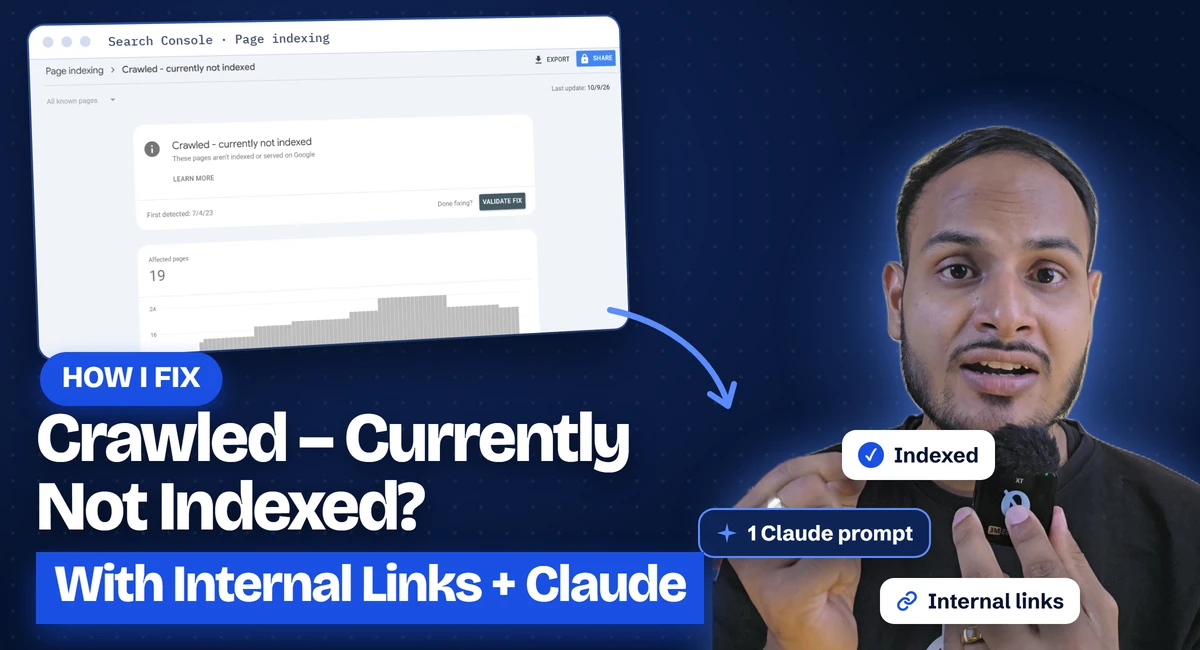
If Search Console shows a pile of pages as “Crawled – currently not indexed” or “Discovered – currently not indexed”, requesting indexing one URL at a time won’t get you out of it.
Last week a follower sent me a DM. His site has more than 10,000 pages, most of them not indexed, and he was pasting them into Search Console one at a time and clicking “Request indexing”. He hit the daily limit before lunch.
That method doesn’t scale. This one does. You find the pages Google already indexes, you find the ones it ignores, and you connect them with internal links so Google has a reason to crawl and index the rest. Claude does the matching for you.
Below is the exact process I use, with the full prompt.
Crawled vs discovered: what Google is telling you
These two statuses look alike but mean different things.
“Discovered – currently not indexed” means Google knows the URL exists (usually from your sitemap or a link) but hasn’t crawled it yet. Google decided the page wasn’t worth the crawl right now. On big sites this is the most common status, and weak internal linking is the usual reason.
“Crawled – currently not indexed” means Google did visit the page and chose not to add it to the index. Sometimes that’s a quality call. Very often the page is just poorly connected: nothing important on your site points to it, so Google treats it as low priority.
Both respond to the same fix. Give the page links from pages Google already indexes and visits often.
Why internal links get pages indexed
Google finds and prioritises pages mostly through links. A page that sits in your sitemap with no links pointing to it from pages Google already trusts looks unimportant, so it stays in the queue. In Search Console that shows up as “Discovered – currently not indexed” or “Crawled – currently not indexed”.
When an indexed page links to it in the body copy, two things change. Google crawls the new link the next time it visits the indexed page, and the link itself says “this page matters to us”. Do that across your best pages and the backlog starts moving.
What you need
- Access to the site’s Google Search Console property
- A Claude account (the free plan can take file uploads; Pro handles bigger files better)
- Access to edit pages on your site
- About an hour for the first batch
Step 1: Open the Page indexing report
In Search Console, go to Indexing > Pages. You’ll see two numbers at the top: Not indexed and Indexed. Write both down. You will compare against them later.
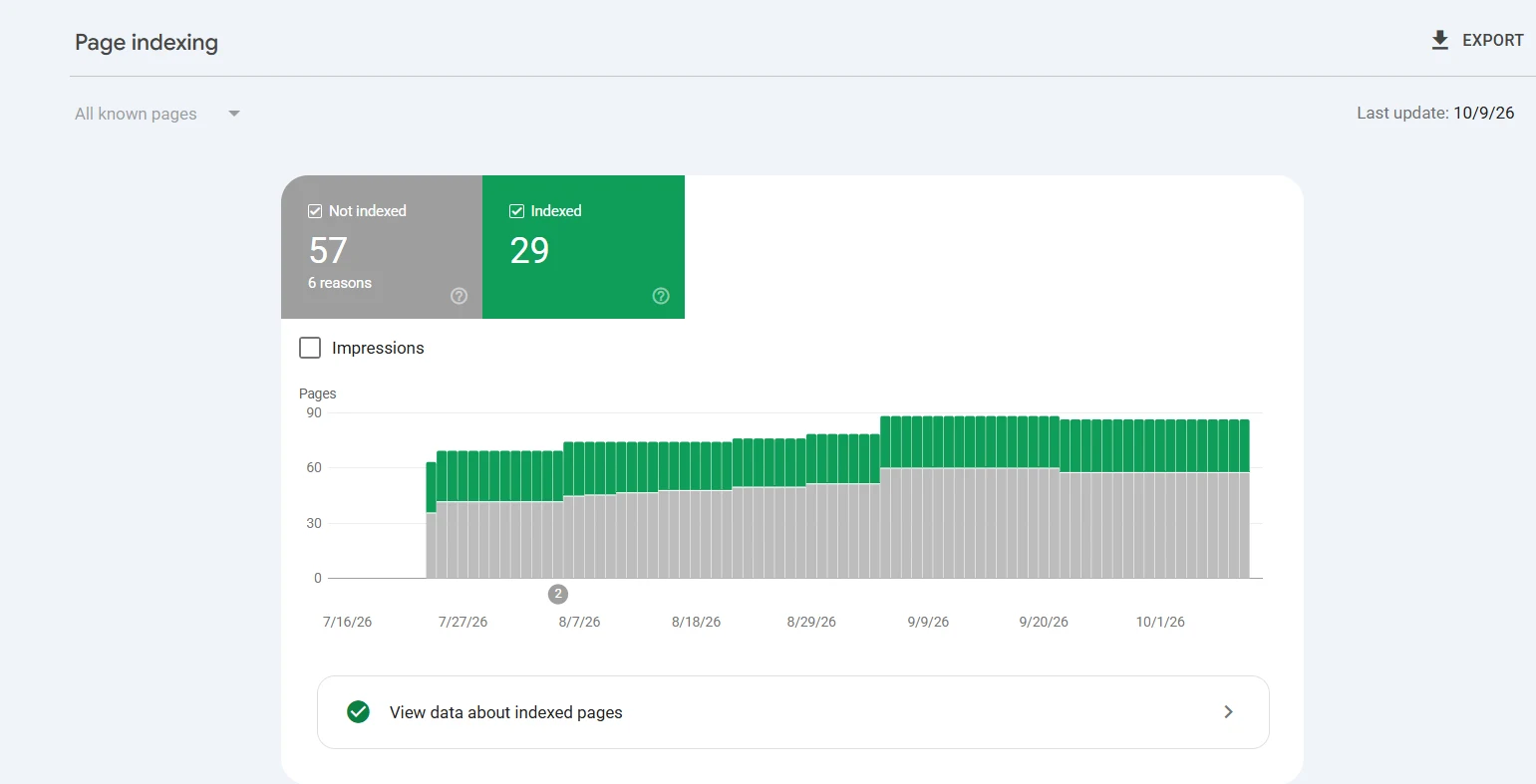
The client site I recorded for the reel was 31.1K not indexed against 1.33K indexed. Whether you have 50 orphaned pages or 30,000, if more of your pages sit outside the index than inside it, internal linking is probably your fastest win.
Step 2: Check why pages aren’t indexed
Scroll to “Why pages aren’t indexed”. Each row is a reason with a count. This step decides whether this method will work for you, so don’t skip it.
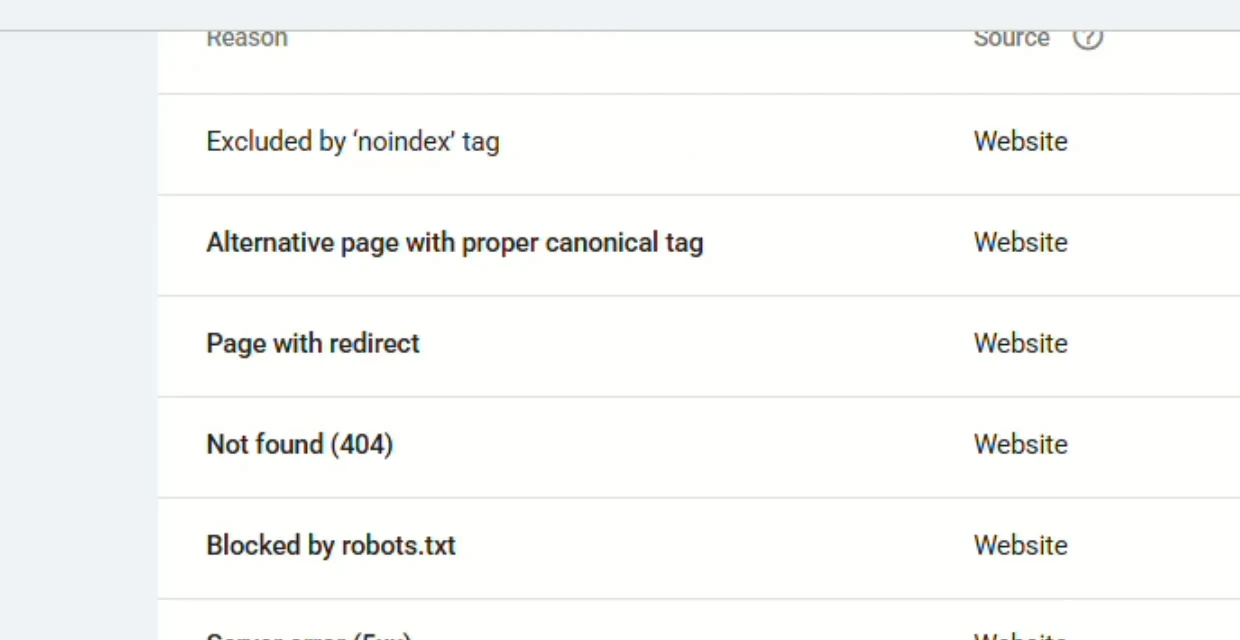
Internal links help with these two:
- Crawled – currently not indexed
- Discovered – currently not indexed
Internal links will not fix these, and you shouldn’t try:
- Excluded by ‘noindex’ tag
- Page with redirect
- Not found (404)
- Alternate page with proper canonical tag
- Blocked by robots.txt
- Server error (5xx) and Soft 404
Those are technical problems. Linking to a noindexed or redirecting URL wastes the link. Fix them first (or leave them alone if they’re supposed to be excluded).
Step 3: Export the pages that aren’t indexed
Click Crawled – currently not indexed. On the next screen, click Export (top right) and choose Download CSV. Do the same for Discovered – currently not indexed.
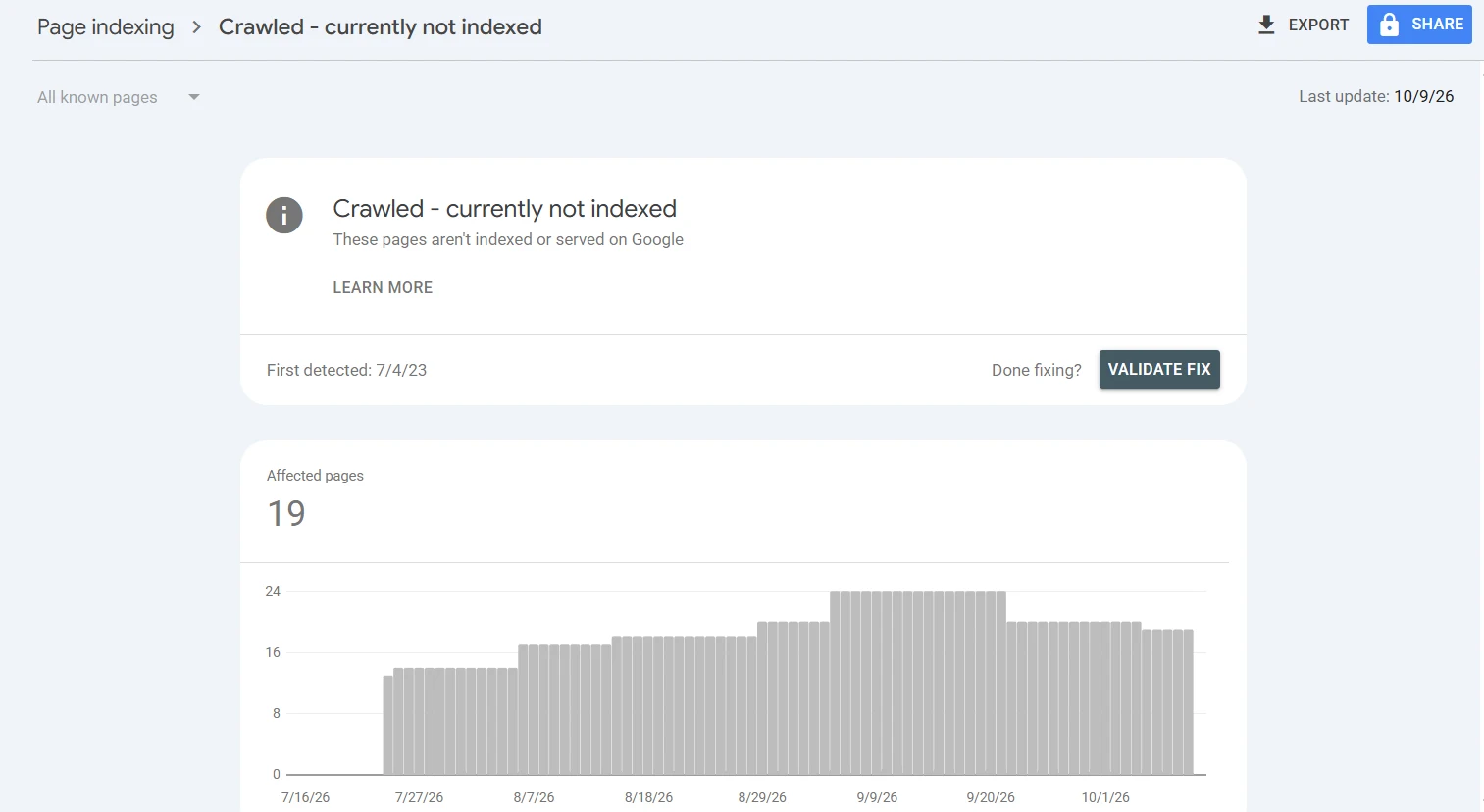
One catch: Search Console only lets you export up to 1,000 example URLs per report. If you have more than that, use the dropdown at the top of the Page indexing report and switch from “All known pages” to a specific sitemap. Each sitemap gives you a different 1,000-URL slice. Big sites should split their sitemaps by section anyway (blog, products, categories), and this is one more reason to.
Merge the exports into one file and call it not-indexed.csv.
Step 4: Export the pages that are indexed
Back on the Page indexing report, click View data about indexed pages, then Export > Download CSV. Call it indexed.csv.
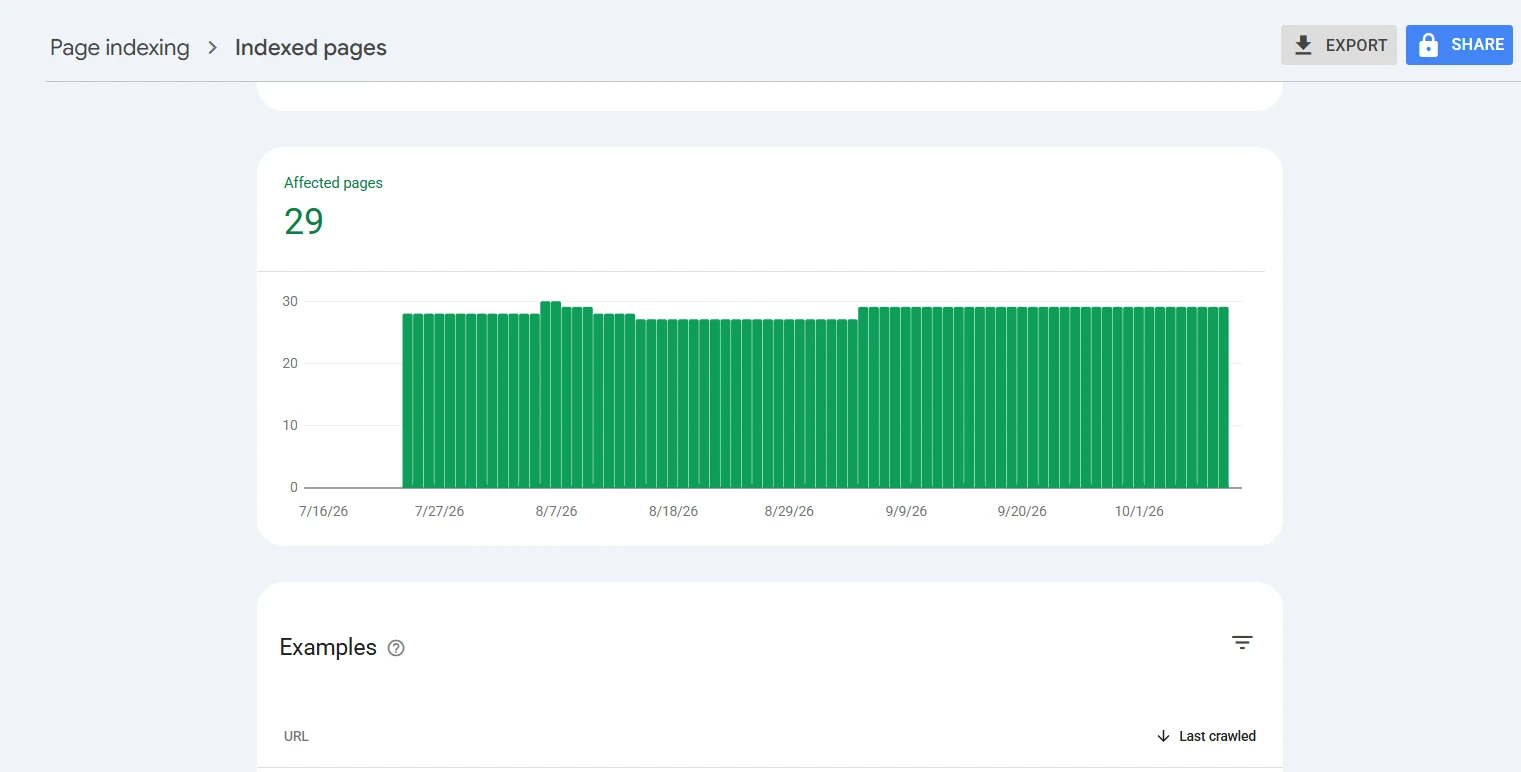
Optional, but it makes the plan noticeably better: go to Performance > Search results, open the Pages tab, set the date range to the last 3 months, and export that too. Now Claude can see which indexed pages actually get clicks and impressions. Those are your strongest pages, and a link from them carries more weight than a link from a page nobody visits.
Step 5: Give Claude the files and the prompt
Open Claude, start a new chat, and upload the two CSVs (three if you exported performance data). Then paste this prompt. Replace yoursite.com with your domain.
You are a senior technical SEO who has run internal linking projects on sites with thousands of URLs.

I've attached CSV files exported from Google Search Console for yoursite.com:
- indexed.csv: pages Google has indexed
- not-indexed.csv: pages Google has crawled or discovered but not indexed
- (optional) performance.csv: clicks and impressions per page for the last 3 months

Build me an internal linking plan that gets the not-indexed pages indexed.

Rules:
1. Only link FROM indexed pages TO not-indexed pages, and only when the two pages are genuinely about related topics. Every link has to make sense to someone reading the source page.
2. For each not-indexed page, choose 2 to 3 source pages. Prefer the closest topical match. If performance data is attached, prefer source pages with more clicks and impressions.
3. Never add more than 3 new outgoing links to any single source page.
4. Write a natural, descriptive anchor text for every link (2 to 6 words). Don't reuse the exact same anchor for the same target.
5. Tell me where on the source page the link belongs (which section or paragraph topic) and write one sentence I can paste into that section with the anchor in it.
6. Do this only where it makes sense. If a not-indexed URL shouldn't be indexed or can't be helped by links (parameter URLs, pagination, tag or archive pages, thin or duplicate pages, redirects, 404s, noindex pages), skip it and tell me why.

Output:
A. A table with these columns: Priority (P1/P2/P3) | Target page (not indexed) | Source page (indexed) | Anchor text | Where to place it | Sentence to paste
B. A list of skipped URLs with the reason for each
C. The first 10 targets I should do this week, and why those 10

If the files don't give you enough to decide something, ask me before guessing.
Claude reads the URLs, groups them by topic, and returns the table, plus a list of URLs to ignore. That second list is as useful as the first, because it stops you wasting links on pages that will never index.
Step 6: Check the plan before you touch your site
Claude is matching on URLs and whatever text the files give it. It doesn’t see your pages. So before you add anything, open five or six rows and check them yourself:
- Is the source page really about a related topic?
- Is there a sensible spot for the link in the body copy?
- Does the target page deserve to be indexed? If it’s thin or a near-duplicate of another page, improve it or drop it from the plan.
If more than one or two rows are off, tell Claude what was wrong and ask it to redo the plan with that rule added.
Step 7: Add the links
Work through the P1 rows first. For each one:
- Put the link inside the body text, in the section Claude suggested. Links in footers, sidebars and “related posts” widgets count for much less.
- Use the anchor from the plan, or adjust it so the sentence reads naturally. Never stuff a keyword in where a reader would trip over it.
- Keep it to 2 or 3 new links per source page in one go.
If an existing sentence already talks about the topic, link from that sentence. If not, paste the sentence Claude wrote.
Step 8: Get Google to notice the change
This is where people waste their indexing requests. Don’t request indexing for the 10,000 target pages. Request it for the 10 or 20 source pages you just edited.
Those pages are already indexed, so Google will recrawl them quickly, find the new links, and follow them to the targets. Your daily request limit goes much further this way.
Then:
- In the Page indexing report, open Crawled – currently not indexed and click Validate fix (next to “Done fixing?”). Do the same for Discovered. This asks Google to recheck the whole group.
- Make sure the target pages are in your XML sitemap, and resubmit the sitemap under Indexing > Sitemaps.
Step 9: Track it and repeat
Give it two to four weeks. Then go back to Indexing > Pages and compare the two numbers you wrote down in Step 1.
Do the next batch of 50 after that. Big sites need several rounds. The order matters less than the habit: one batch, check the numbers, next batch.
What this won’t fix
Internal links are not a guarantee. If Google doesn’t want to index your pages because the pages are thin or duplicated, or the site has technical faults, links will only make Google look at those problems more often.
If you’ve done two rounds and the not-indexed number hasn’t moved, the problem is on the page itself or in your technical setup, not in your linking. I’m covering how to find and fix that in my next video.
If the pages are thin, add what searchers are actually asking for. My AnswerThePublic guide shows how I find those questions and turn them into sections. My keyword research SOP covers how I decide which pages deserve to exist at all.
FAQ
How long does it take for pages to get indexed after adding internal links?
Google gives no fixed time. In my experience the edited source pages get recrawled within days if you request indexing for them, and targets start moving within one to four weeks. Search Console says a Validate fix check can take around two weeks, sometimes longer.
How many internal links should point to each page?
Two or three links from related, indexed pages is enough to start. More links from weak or unrelated pages add very little. Quality of the source page matters more than the count.
Does requesting indexing for every page help?
Not at scale. The daily limit is small, and requesting a page Google already decided to skip doesn’t change its mind. Spend your requests on the indexed pages you edited, so Google finds the new links.
Can I use ChatGPT instead of Claude?
Yes. The prompt works with any AI model that can read uploaded CSV files. I use Claude because it handles large URL lists well and follows the “skip it and tell me why” rule more reliably. For more ways to use Claude in SEO, see my list of the best Claude SEO skills.
Will this fix “Discovered – currently not indexed” too?
Yes, and often faster than “Crawled”, because Google hasn’t judged those pages yet. It just hasn’t been given a reason to crawl them.
Want the full framework?
This guide is the core of it. The complete framework I use with clients includes every prompt (the technical audit prompt, the anchor text rules, the content-gap prompt for thin target pages) and the sheet I track batches in.
Comment LINKS on my latest Instagram reel and I’ll send it to your DM.
Ayush, Outreach Empress outreachempress.io